

|
Name |
Glassify Icon Pack |
|---|---|
|
Google Play Link |
GET IT ON
Google Play
|
|
Category |
Personalization |
|
Developer |
NARIK DESIGN |
| Last version | 1.6 |
|
Updated |
|
|
Compatible with |
Android 5.0+ |
Introduction to Glassify Icon Pack
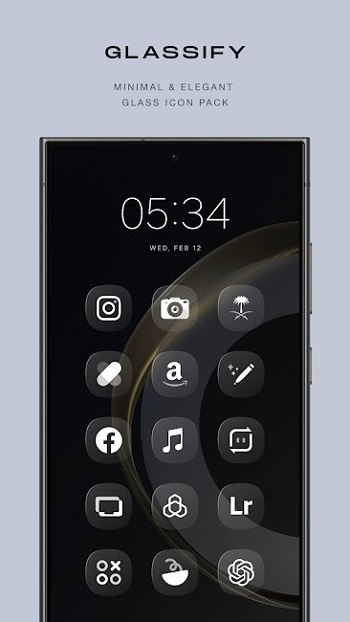
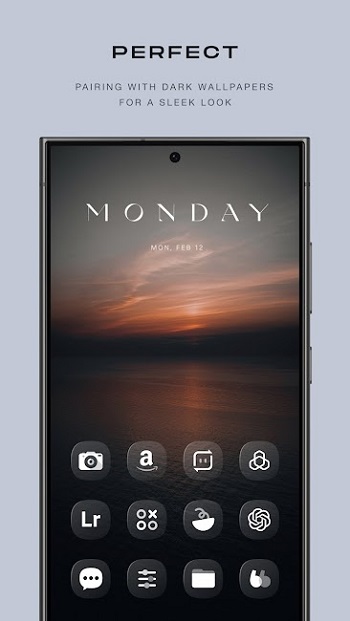
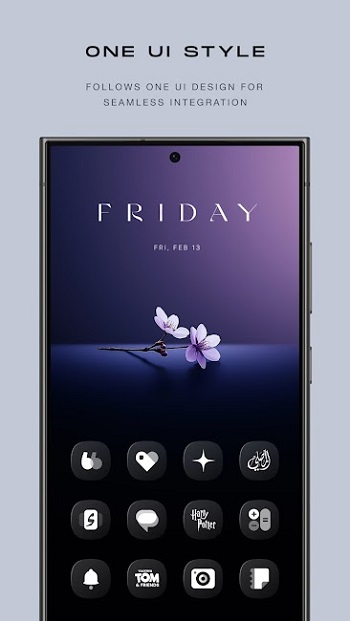
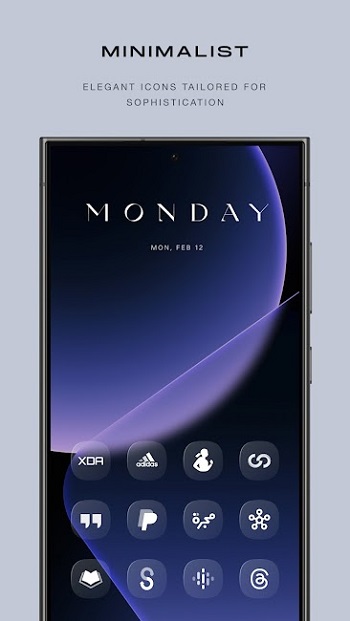
Glassify Icon Pack is a personalization app for Android users who are all about aesthetics, symmetry, and that clean, glassy vibe on their home screens. It's not a game, not a tool to boost performance it’s a full-on style statement for your phone. Designed with crisp, transparent edges and a smooth, square format, this icon pack gives your app drawer a look that’s way more polished than anything stock launchers offer out of the box.
If your home screen feels like it's stuck in 2015, Glassify Icon Pack is the kind of visual glow-up that actually delivers. It packs over 4,800 handcrafted icons yep, all crystal-clear and neatly square, making your screen look sleek without trying too hard. This isn’t some random batch of icons slapped together. Every detail, every corner, and every reflection feels intentional. It fits just right whether you’re running Nova, Lawnchair, or that oddly satisfying Niagara layout.
This icon pack doesn’t just sit pretty it’s part of a full package. There’s a set of five KWGT widgets that match the whole theme, giving your clock, weather, and shortcuts the same glassy feel. And for those who like to go all in, there’s cloud-based wallpapers included that play nicely with the transparent style. Nothing too loud, just clean backgrounds that let your icons pop like they were meant to be there.
You won’t need to hunt for compatibility it’s built to work with a solid lineup of launchers. From Nothing Launcher to Hyperion, even some lesser-known options like Posidon and Stario are covered. Some launchers (Pixel, for instance) need a little extra help with tools like Shortcut Maker or Theme Park for One UI users, but once you’ve got it on, it’s smooth sailing. Just a quick tap in the app’s Apply section and you're good to go.
It’s worth noting this isn’t plug-and-play for everyone. Kustom widgets require KWGT PRO, and shadows need to be active in Nova to really bring out that depth. But if you’re the type who takes home screen setups seriously, you’ll already know how to fine-tune that stuff anyway.
The icon request feature is clutch, too. Can’t find a specific app icon in the pack? No biggie just send in a request. Updates roll out regularly, so your setup stays fresh, not forgotten. You can also hit up the creator on Telegram, Instagram, or even X if you want to see what’s cooking next or just say hey.
At the end of the day, Glassify Icon Pack speaks to a vibe: minimal, modern, and effortlessly classy. It’s perfect for users who want consistency without chaos, shine without the extra. It respects your taste and adds a bit of clarity to your digital space literally.
FAQs Glassify Icon Pack
What is Glassify Icon Pack?
+
Glassify Icon Pack is a customization app for Android that brings a sleek, transparent icon style to your phone, compatible with many launchers.
How many icons does Glassify Icon Pack include?
+
The pack currently offers over 4,800 uniquely designed icons, along with matching KWGT widgets and wallpapers.
Do I need a special launcher to use Glassify Icon Pack?
+
Yes, you'll need a supported launcher like Nova, Lawnchair, or Niagara to apply the icon pack properly.
Does Glassify Icon Pack work on Samsung or Pixel phones?
+
It works, but you’ll need extra apps like Theme Park for Samsung or Shortcut Maker for Pixel devices.
Can I request icons that aren’t included?
+
Yep! Glassify has a built-in icon request tool, and the developer updates the pack regularly with new icons.
Discover More Interesting Apps
-
 Mod
Mod
ZEDGE
v9.22.0
113.05 Mb
Updated -
Pika! Super Wallpaper
v1.7.9
185.50 Mb
Updated -
Glassify Icon Pack
v2.8.1
151.00 Mb
Updated -
Mod
Shimeji
v12.5
23.83 Mb
Updated -
Mod
Screen Color Filter
v6.9.11
29.06 Mb
Updated -
Lines Dark Pro
v3.9.0
58.00 Mb
Updated -
Mod
Muviz Edge
v2.1.2.0
26.27 Mb
Updated -
Mod
Lumia Kwgt
v5.2.1
86 MB
Updated -
Mod
Darko Icon Pack
v8.5
79.00 Mb
Updated -
Mod
Glass Widgets
v1.4
16.00 Mb
Updated









Share Your Thoughts